


New article
Recently updated
Finding your Customer ID

Who is this article for?
Users that needs to finder their CID (Customer ID).
Standard user permissions required.
When you contact Ideagen support, we may ask for your Customer ID (CID), which is built into the application and takes a few seconds to locate.
Opening the About screen
To access your Customer ID:
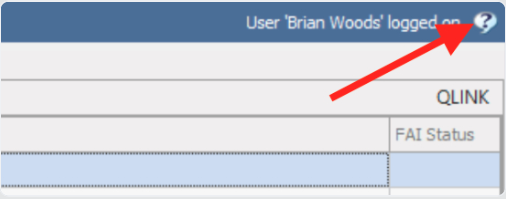
- In Ideagen Quality Control Pluri, click the question mark (?) in the top-right corner of the application window.
Reading your Customer ID
To view your Customer ID:
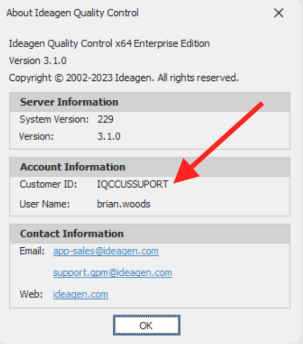
- In the About box that opens, locate your Customer ID in the middle, under Account Information.
Note: Your Customer ID is unique to your organisation. Have it ready when you open a support ticket or call us - it helps us find your account straight away.